

Administration: users, access and settings
The administrator runs the clinic’s account: who has access, what each person can do, the item master that prices sessions, and the clinic’s settings. Access is the administrator’s most important lever, because it is what keeps patient data seen only by the people who should see it.
Role: admin.
Users and access
Section titled “Users and access”Manage the clinic’s users from the users screen: add a person, set their role, deactivate someone who has left. Role turnover in a dialysis unit is constant, so deactivating a leaver promptly is part of keeping the record clean.
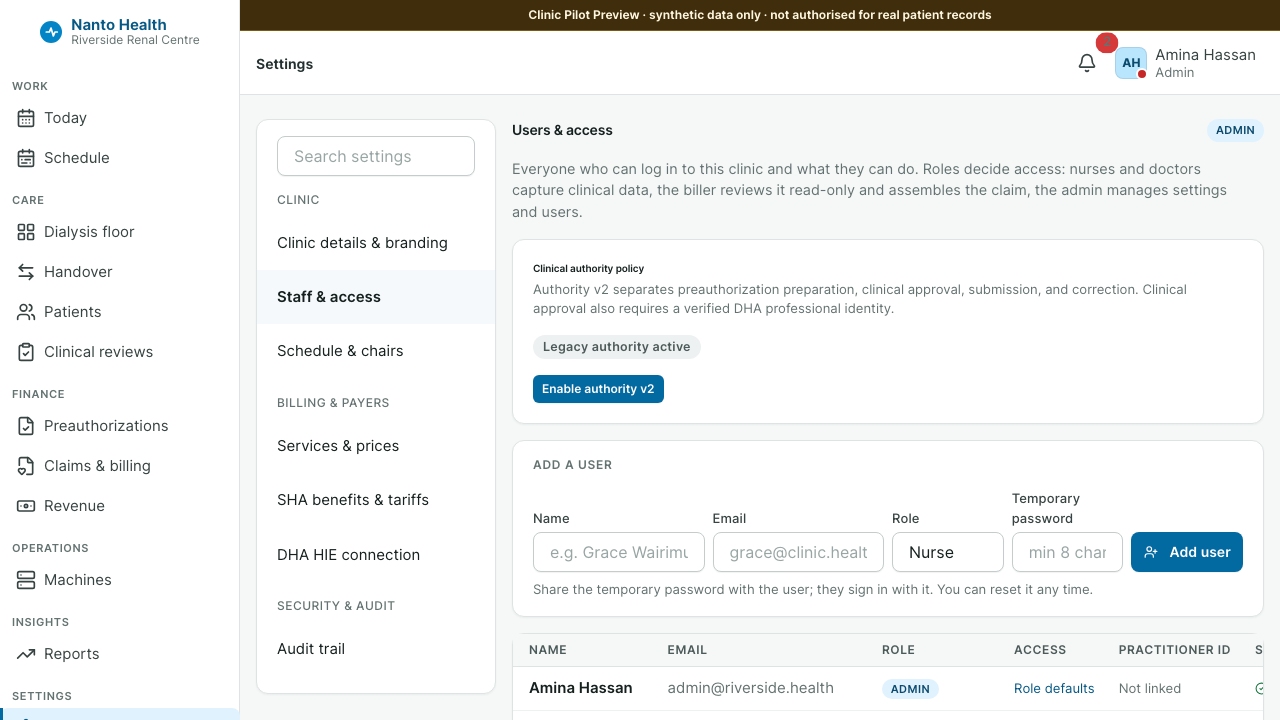
Each role carries a preset of permissions, and access can be tuned per user where a clinic needs it. Revoking an entitlement takes effect immediately: the person’s navigation and the routes behind it close at once, not at their next login.
Every access change is logged
Section titled “Every access change is logged”User creation, role change, deactivation and password reset are all recorded in the clinic’s tamper-evident audit trail, alongside who accessed which patient record. Under the Kenya Data Protection Act 2019 a patient can ask who accessed their record; the trail is how the clinic answers, for both changes and reads.
Multi-factor authentication
Section titled “Multi-factor authentication”Where enabled, users enrol a second factor. Enrolment shows a QR code and recovery codes once; a user can see whether they are protected from the account menu without opening settings. Replacing a factor warns before it destroys the old one, so a credential is never silently lost.
The item master
Section titled “The item master”The item master is the priced catalogue the bill is built from. Keeping it current is what makes billing a matter of confirming rather than typing. Item master changes are logged like other administrative actions.
Settings and modules
Section titled “Settings and modules”Clinic settings and the enabled modules decide which sections of the console the clinic uses. Sellable features sit behind module flags, so a clinic sees the product it has, not every feature that exists.
What administration does not do
Section titled “What administration does not do”The administrator manages access and configuration, not the clinical record. The separation is deliberate: it is what lets the audit trail answer, honestly, who did what.