

Reception: registration and intake
Reception is the front desk. You register new patients, check in returning ones, and confirm SHA cover before the session starts, so a claim is never built on a patient the payer will reject.
Roles: receptionist and, in a small clinic, front office (reception and billing combined).
The patients list
Section titled “The patients list”The patients list is your starting point. Search by name or SHA member number to find a returning patient, or register a new one.
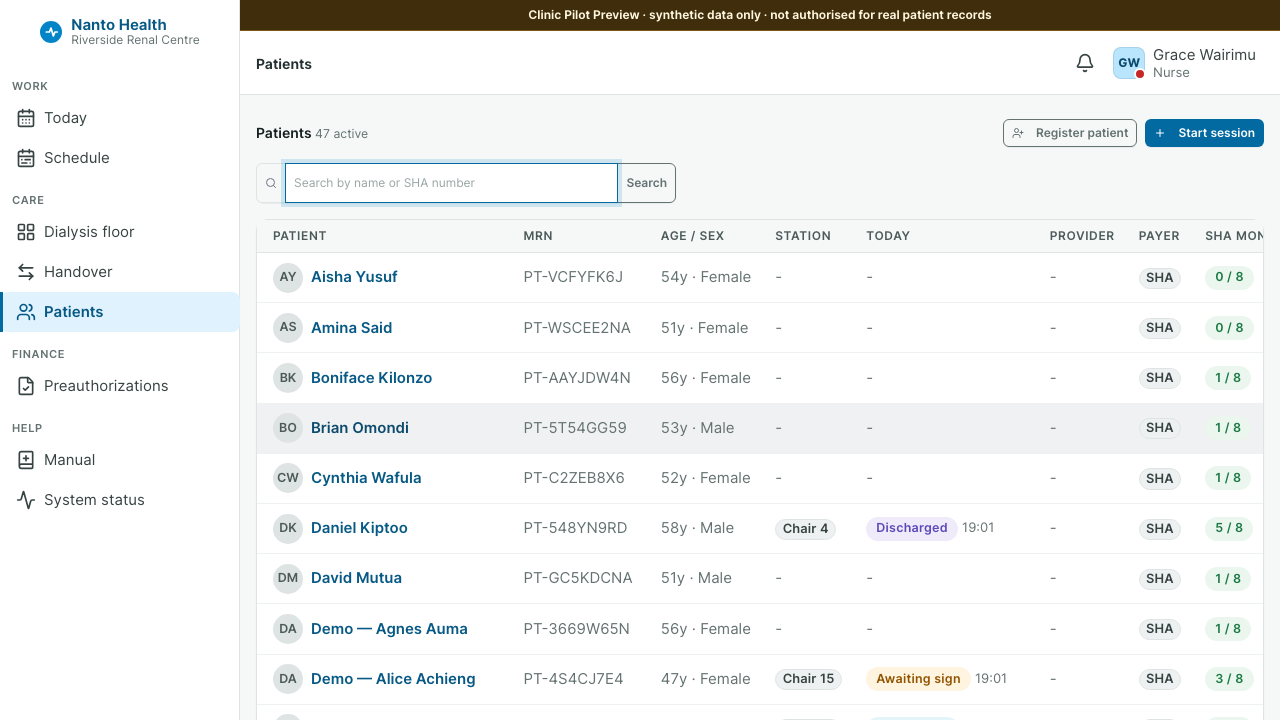
Registering a patient
Section titled “Registering a patient”- From the patients list, choose to register a patient.
- Enter the patient’s identity and demographic details and their SHA member number. Enter real values only; the system treats patient data as regulated under the Kenya Data Protection Act 2019.
- Save. The patient now has a chart that every later step reads from.
A patient’s chart is the single record of who they are. Nursing, clinical and billing all attach their work to it, so getting the identity and SHA number right at the front desk saves rework at claim time.
Checking in for a session
Section titled “Checking in for a session”For a returning patient, open their chart and start a session for today. The chart shows their history, active preauthorisation, problem list, allergies and recent labs, so the desk can see at a glance whether anything blocks today’s run.
Confirming SHA cover
Section titled “Confirming SHA cover”Before the session runs, confirm the patient’s SHA eligibility. The system records the eligibility check so the later claim carries proof the patient was covered on the day. If cover cannot be confirmed, flag it now rather than after the session, when it is harder to fix.
What reception does not do
Section titled “What reception does not do”Reception does not enter clinical observations, prices or diagnoses. Those belong to nursing, billing and clinical respectively, and the system keeps those screens out of the reception role.